01 / QUERY↗
RFI-0014Uncharted HT
and telecom services
CONSTRUCTION PROJECT INTELLIGENCE
Meet Planvium AI. Inspect the schedule. Review field progress. Trace change back to evidence.
Open Planvium ↗For infrastructure owners, PMCs and EPC teams.
One engine. A connected project.
ONE ENGINE. CONNECTED CAPABILITIES.
Can you trust the plan? Can you build it? What changed, and why? Follow the decisions that connect a schedule to the work.
↗ Choose a capability.
Or follow the story below.
01 / ASSURANCE
In the product
Inspect the logic, constraints and critical path before relying on the programme.
Watch the trace meet a constraint instead of a predecessor.
Demonstration finding. Checks that cannot be assessed stay visible with a reason.
See the product evidence ↗02 / CONSTRUCTION LOGIC
V1 validated · Integration next
Follow each physical dependency, from foundation to girder. Then test an impossible order.
Scroll to assemble the span, or choose a step below.
Everything above starts with a supported foundation.
Illustrative sequence. Validated scope: metro and viaduct construction logic.
03 / EXECUTION CONTROL
In the product
A field update passes through a human decision before it changes approved project progress.
A new submission arrives. The last approved position remains at 91% while the evidence is reviewed.
Review the update, then try “Approve the update”. Scrolling through this example never approves work for you.
An approved update advances the execution overlay. The original commitment remains available for comparison.
The committed baseline stays fixed. Approved progress drives the execution overlay.
See the product evidence ↗Waiting for review
Last approved position
Illustrative review · A submission changes project truth only after approval.
04 / DELAY INTELLIGENCE
In the product
See where the completion date moved, window by window. Keep the recorded movement and its explanation connected.
Window W1 records the initial shift in completion. Start with the revision comparison and its linked records.
W2 adds 18 working days. The cumulative movement is now 23 days against the committed programme.
W3 recovers five working days, leaving 18 overall. Movement is measurable; responsibility still needs review.
MetroLink M-01 demonstration. Movement is measured; causation and responsibility require review.
See the product evidence ↗Working days · Recorded demonstration windows · Movement measured against the committed programme.
05 / PLANVIUM AI
In the product
Ask a project question. Follow the explanation through the records behind it.
Why was Reach 6 piling held? The trail starts with RFI-0014 and the uncharted services it records.
The site instruction suspends piling at the affected locations. The linked activity identifies Pier 49 in Reach 6.
Planvium AI connects the records into an explanation you can inspect. People retain the decision on causation and entitlement.
Software calculates. AI explains. People decide. AI availability depends on configuration.
See the product evidence ↗Follow the query, the instruction and the affected activity. Scroll through the evidence or open the explanation above.
Uncharted HT
and telecom services
At the affected
locations
Reach 6
Piling work
Seeded demonstration records · Causation and entitlement remain subject to review.
06 / PRODUCTIVITY PREDICTION
Roadmap · Interactive illustration
Explore how production rate changes the indicative duration of the remaining work.
In this hypothetical example, 40 of 100 deck segments are complete. Sixty still need to be installed.
Forty segments over ten working days gives a recent rate of four per day. Change the assumed rate to explore the effect.
At four per day, sixty segments take fifteen working days. This explains one work package, not the project finish date.
This hypothetical rate illustration is not a CPM forecast. Productivity P50/P80 outlooks and recovery comparison are roadmap capabilities. Deterministic schedule forecasting exists separately in the product.
Hypothetical productivity illustration
40 segments ÷ 10 working days = 4/day recent rate
60segments÷4/ day=
Assumes the same work and conditions, with no new interruptions. One work package; not a project completion date.
Productivity P50/P80 forecasts and recovery comparison are on the roadmap. The aim: connect approved production rates to the remaining programme and compare recovery options.
P50/P80 describe completion dates with different confidence levels. This example does not calculate either.

THE WORK CHANGES. THE NEED FOR CONTROL STAYS.
One connected view.
Across the built world.
DIFFERENT PROJECTS. CONNECTED DECISIONS.
Change the infrastructure. Explore what needs to happen before the next milestone.
Connect a utility clearance, the piling front it holds and the opening milestone it may affect.
Illustrative applications · Not customer deployment claims
THE PRODUCT BEHIND THE STORY
Explore the actual Planvium screens behind assurance, reviewed execution, AI explanation and measured delay.
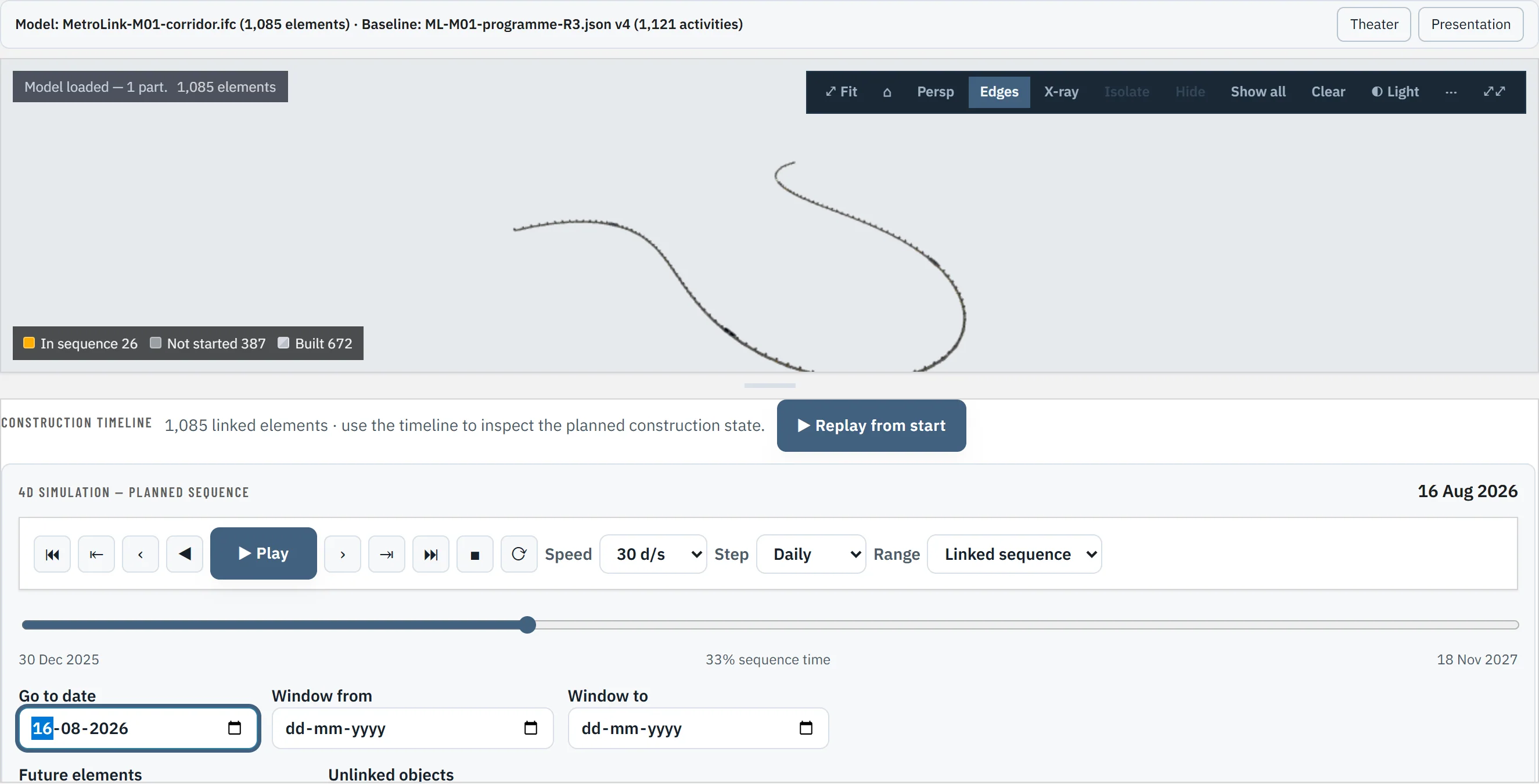
Planvium connects schedule checks with approved execution, project records and measured delay. Your planning tools remain part of the process.
YOUR PROGRAMME IS THE NEXT STEP
Start with the programme you already run in Primavera or Microsoft Project. Explore Planvium AI with your team's questions.
Book a walkthrough ↗For infrastructure owners, PMCs and EPC teams.